
How to Run a Retail Shelf Test for Jelly Cup Products
A jelly cup can pass factory checks and still perform poorly on a real shelf. This guide shows buyers how to test product identity, pack stability, shelf fit, facings, price-label visibility, replenishment and shopper understanding in a controlled retail trial.
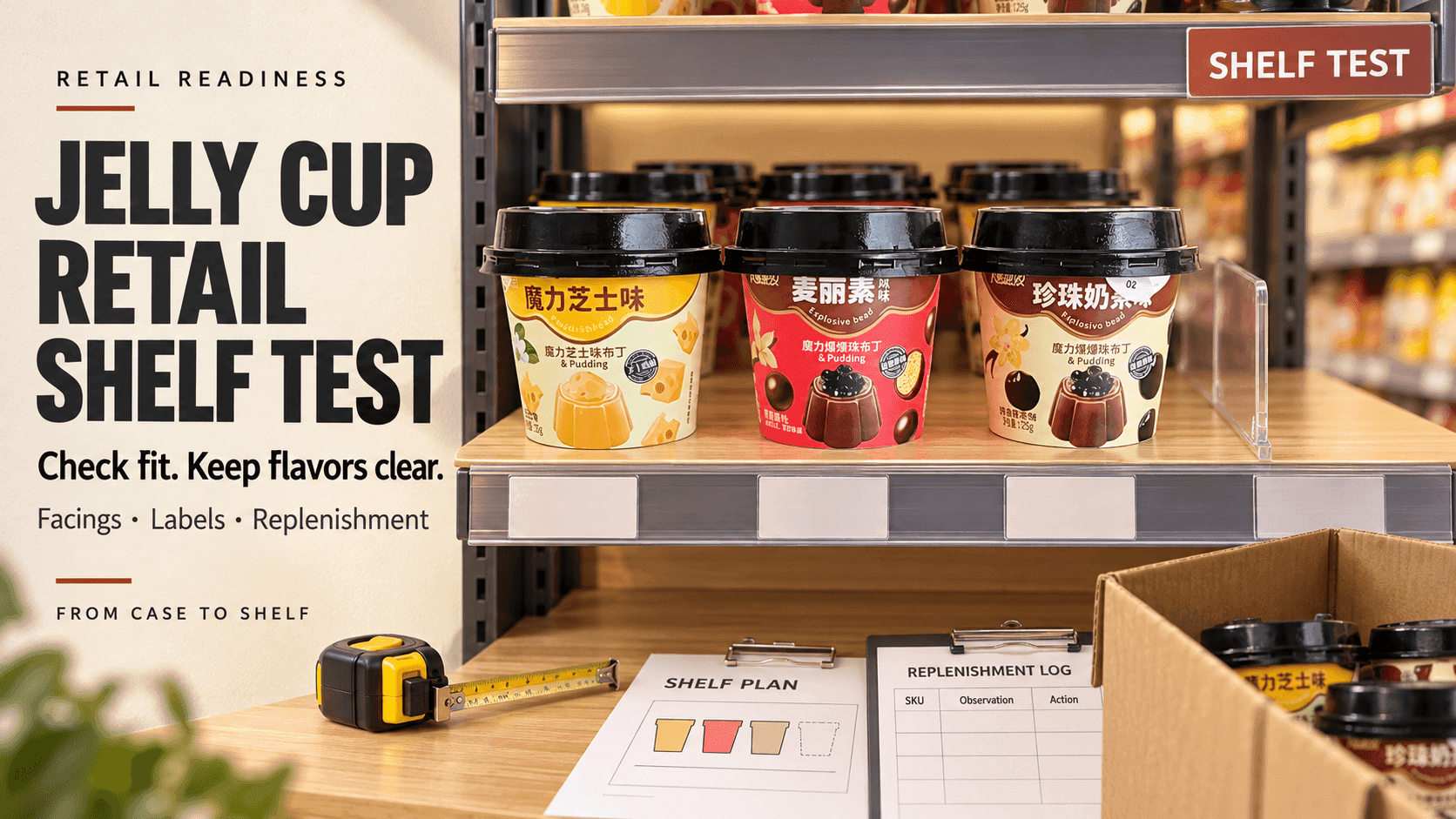
How to Run a Retail Shelf Test for Jelly Cup Products
A jelly cup can look ready in a product meeting and still create problems in a store.
The retail pack may not stand securely on the intended shelf. Flavor differences may disappear from normal viewing distance. A price label can cover important information. The case may be difficult to open without damaging saleable units. Staff may place the wrong flavor behind the front facing or struggle to rotate stock.
A controlled shelf test gives buyers, brands and manufacturers a way to find these issues before a wider rollout. It is not a sales forecast and it does not replace package validation. It is a practical test of how the finished product, case and store workflow function together.
Define the Retail Decision
Begin with one clear decision.
The retailer may need to approve shelf fit, choose between a single-flavor and mixed assortment, confirm the number of facings for a pilot, test whether staff can replenish the display or learn which product message shoppers understand.
Write the decision and the store conditions that matter. A pharmacy, convenience store, supermarket, specialty food shop and warehouse club do not use the same shelf, shopper journey or replenishment rhythm.
The test should not be designed to prove that the product will sell everywhere. It should show whether a defined configuration works in a defined retail environment and what should change before expansion.
Lock the Product and Packaging Version
Use finished or production-representative units whenever possible. Record the product name, flavor, unit size, cup and lid version, artwork version, retail pack count, case configuration and batch or sample identity.
If any element is provisional, mark it clearly. A white sample cup in a mock box may help with dimensions, but it cannot prove color recognition, label readability or final shelf impact.
Do not mix multiple design versions in the same display unless the test is intentionally comparing them. Photograph the approved starting configuration so every observer evaluates the same setup.
Measure the Real Shelf Space
Obtain the actual shelf width, depth and vertical clearance. Include the front rail, shelf lip, dividers, price-label holder and any obstruction that reduces usable space.
Check the pack in the shelf rather than relying only on a packaging drawing. A carton may technically fit but be difficult to remove. A tall cup may contact the shelf above. A display tray may extend over the edge. A flexible multipack may lean after neighboring units are removed.
Record the measurement method and the specific fixture. Shelf dimensions can vary across store formats and even across bays in the same chain.
Check Pack Stability and Product Protection
Place the retail pack in the intended orientation. Remove units as a shopper would and observe what happens to the remaining display.
Check whether cups stay upright, whether a carton collapses, whether the lid or seal is exposed to rubbing and whether the front panel remains readable as stock declines. If the product uses a display-ready case or tray, follow the proposed opening method and inspect saleable units for cutting, crushing or adhesive damage.
The shelf test can reveal handling risk, but it does not replace transport, compression, seal-integrity or shelf-life validation. Send damage questions into the appropriate packaging and quality review.
Test the Case to Shelf Workflow
Retail readiness begins in the back room.
Ask store staff to identify the case, confirm the flavor or assortment, read the lot and date information as required, open the case and move units to the shelf. Observe the process without coaching every step.
Record where confusion occurs. Similar case graphics can cause flavor errors. A code hidden under tape can slow stock rotation. A case that must be fully unpacked may add labor and temporary clutter. A display tray may save time but only if it opens cleanly and fits the fixture.
Do not optimize only for the front-of-shelf photograph. The best retail format must also work through receiving, storage, replenishment and removal.
Evaluate Product Identity From Normal Distance
Stand where a shopper normally approaches the category. Ask whether the product type is clear before reading small print.
The front panel should help the shopper understand that the item is a jelly cup product and distinguish its flavor, format or intended use. Attractive graphics should not hide the product's true nature or make unlike variants look identical.
Review the actual market language, not only the English master. Translation can change line length and push important text below the shelf edge. Verify that required information remains present and legible on the final pack.
For products with special audience, ingredient, allergen or age-related considerations, the shelf position and communication require additional review. A general shelf test cannot override those controls.
Compare Flavor and SKU Recognition
If the assortment contains several flavors or formats, test whether staff and shoppers can separate them quickly.
Color can help, but color should not be the only identifier. Use the flavor name, imagery and product code consistently across the cup, retail pack and shipping case. Check how the range looks when units are side by side and when only one facing remains.
Ask staff to replenish a partially depleted shelf from mixed cases. Record selection errors or hesitation. If two variants are repeatedly confused, revise the visual hierarchy or case identification before blaming store execution.
Choose a Pilot Facing Plan
A facing is the visible front position of one product or SKU. The correct number depends on pack dimensions, expected demand, assortment strategy, replenishment frequency and available shelf space.
For the pilot, choose a starting configuration and document it. Record which SKU occupies each position, how many units fit behind each facing and what minimum presentation the retailer wants to maintain.
Do not turn the pilot into a universal facing rule. A configuration that works in a high-traffic convenience store may waste space in a specialty shop or create stockouts in a supermarket.
Test the display when full, half full and near replenishment. The pack should remain understandable across all three states.
Check Price Label and Shelf Communication
Place the real price-label format in the rail or holder. Confirm that it aligns with the correct SKU and does not cover product identity, flavor, quantity, warnings or required information.
If a shelf talker or small educational card is needed, limit it to one clear job. It might explain texture, serving format or a verified product feature. It should not repeat the entire back label or make claims that the package and evidence do not support.
The price label, shelf card, digital listing and pack should use consistent product names. Inconsistent naming makes an unfamiliar product harder to find and can create checkout or inventory errors.
Simulate Normal Shopper Removal
Have test participants remove a unit from the front, middle and back of the shelf. Observe whether neighboring packs fall, lids catch on the shelf, cups rotate away from the shopper or the remaining product slides into an unsafe position.
Test the intended shopper action. If the retail unit is a multipack, shoppers should not be encouraged to separate individual cups unless the retailer and label system are designed for individual sale.
Inspect handled units for dents, lifted seals, scuffed codes or damaged cartons. Record the location and pattern. Repeated damage at the same point can identify a shelf or pack interaction.
Test Replenishment With Real Staff
Give staff the proposed planogram or simple shelf instruction and let them replenish the display.
Record the time only as an internal comparison under the defined test; do not turn one observation into a universal labor standard. More important, observe errors, awkward movements, unnecessary handling and whether older stock remains accessible for rotation.
Ask what information staff need on the case and shelf. A good instruction should identify the SKU, position, facing and rotation method without requiring a product specialist at every shift.
If replenishment repeatedly breaks the display, simplify the configuration before adding more training.
Review Lot and Date Code Visibility
The retailer should be able to apply its approved receiving and stock-rotation process.
Check whether the relevant lot and date information is readable on the case and saleable pack. Confirm that the print remains visible after the product is placed in the shelf and is not routinely damaged during opening.
The shelf test should not invent a rotation rule or shelf-life statement. Use the approved product specification, label and retailer procedure for the exact item.
Observe the Environment
Record light exposure, proximity to heat sources, humidity concerns, vibration, customer traffic and cleaning activity around the display. Compare the actual environment with the approved product storage and handling information.
Do not assume that ambient storage means every ambient location is suitable. Direct sunlight, localized heat or physical impact can still conflict with product requirements.
If the display environment falls outside the approved condition, change the location or complete the necessary technical review before launch.
Build a Damage and Exception Log
Use clear categories rather than one general damaged count.
- crushed or deformed retail pack
- lifted or visibly compromised lid
- leaking unit
- unreadable or scuffed code
- wrong flavor in the facing
- price label mismatch
- unit dropped during removal or replenishment
- product exposed to an unapproved condition
Record when and where the event occurred. Keep affected units for quality review when the procedure requires it. Do not return questionable units to sale merely to improve the pilot result.
Test Shopper Understanding Carefully
A small shelf test can ask shoppers or internal participants what they think the product is, which flavor they see and how they expect to use it.
Use neutral questions. Do not explain the answer before asking. Record the participant group and store context so comments are not separated from the test design.
The result can reveal whether the front panel communicates product format and flavor, but it cannot establish national demand. Avoid publishing a sales claim from an informal pilot.
If the product has preparation, chilling, freezing or other use instructions, confirm that shoppers can find the approved direction without inventing a use not supported by the product.
Connect the Physical Test to the Digital Shelf
Many shoppers see the product online before visiting the store. Compare the product name, pack count, flavor, imagery and key information across the physical shelf, retailer website and internal inventory system.
The online image should show the same commercial pack tested in store. A rendering that changes color, proportion or pack count can create expectation and picking errors.
If the retailer uses click-and-collect or delivery, test whether staff can identify the correct SKU quickly from the digital order and shelf presentation.
Set Decision Criteria Before the Pilot
Define what the team will review at the end. Criteria may include physical fit, display stability, product identification, replenishment accuracy, code visibility, damage patterns and shopper comprehension.
Avoid setting invented pass rates after seeing the result. Use approved company criteria, retailer requirements and risk-based judgment. Record issues as pass, revise, investigate or not approved for the tested configuration.
Separate product problems from store-process problems, but review the interaction. A pack may be acceptable in one fixture and unsuitable in another.
Document the Approved Configuration
The final record should identify the product version, store format, fixture, shelf measurements, facing plan, case-opening method, replenishment instruction, photographs, exceptions and decision.
If revisions are required, assign an owner and test the changed item again. Do not approve a new carton dimension or artwork based only on a marked-up photograph.
Use the approved configuration to brief sales, operations and the manufacturer. Recheck when the pack, case, assortment, retailer fixture or storage condition changes.
If your team is developing a jelly cup range for retail, a production-representative sample can be reviewed against the target shelf and replenishment workflow before a wider rollout.
Frequently Asked Questions
What is a jelly cup retail shelf test
It is a controlled evaluation of how the finished unit, retail pack, case and store workflow perform in a defined shelf environment. It covers fit, clarity, handling, replenishment and exceptions rather than predicting universal sales.
Can a packaging drawing replace the physical test
No. A drawing supports dimension review, but a physical test reveals removal, stability, shelf-edge obstruction, case opening and staff handling issues.
How many facings should a jelly cup have
There is no universal number. The retailer should pilot a configuration based on pack size, assortment, demand, replenishment and available space, then review the result.
Should flavor variants rely on color alone
No. Use consistent flavor names, imagery and product codes across the cup, retail pack and case so recognition does not depend only on color.
Does ambient storage allow placement in direct sunlight
Not automatically. Follow the approved product storage information and evaluate the actual shelf environment, including direct light and localized heat.
When should the shelf test be repeated
Repeat it after meaningful changes to the cup, lid, retail pack, case, artwork, assortment, fixture, replenishment method or storage environment.